Paste your web app URL and we handle everything else. Automatic iOS builds with direct App Store Connect submission.
Launch AppUse your BleuJades anytime, or switch to an auto-renew plan whenever you like.
Everything you need for App Store success
Your web app wrapped in a native iOS application using WKWebView with full Safari capabilities.
Connect your Apple Developer account via App Store Connect API. Secure OAuth authentication.
Automatic certificate and provisioning profile generation. No manual Xcode configuration needed.
Auto-resize screenshots for all iPhone and iPad sizes. iPhone 6.9" to 5.5", iPad Pro to iPad Mini.
Configure app name, subtitle, keywords, description, and privacy policy for App Store listing.
Submit directly to TestFlight for testing or App Store for public release. Track review status.
We do not store, access, or retain your source code or build output. What you ship is entirely yours — we never see it.
Paste any code - Python, React, SQL, anything - and 1twobuild instantly converts it into a polished, interactive HTML app.
Set up subscription groups, pricing tiers, and free trials. Synced directly to App Store Connect automatically.
Your preview links are protected - only you can see them. Use BleuJades to share with testers and friends.
Update and resubmit your app as many times as you need. One $2.99/month covers everything.
Three steps to the App Store
Enter your web app URL. We validate it and extract app metadata automatically.
Link your Apple Developer account. One-time setup with App Store Connect API.
Click submit and your iOS app is built, signed, and submitted to App Store Connect.
Full access to build, update, and submit your apps to the App Store.
Paste your web app URL and we handle everything else. Automatic Android builds with direct Google Play Console submission.
Launch AppUse your BleuJades anytime, or switch to an auto-renew plan whenever you like.
Everything you need for Google Play success
Your web app wrapped in a native Android application using WebView with Chrome capabilities.
Connect your Google Play Console via service account. Secure API authentication.
Automatic keystore generation and APK/AAB signing. No manual Android Studio configuration needed.
Auto-resize screenshots for phone and tablet sizes. All required Google Play dimensions included.
Configure app title, short description, full description, and content rating for Play Store listing.
Submit to internal testing track or production. Track review status in real-time.
We do not store, access, or retain your source code or build output. What you ship is entirely yours — we never see it.
Paste any code - Python, React, SQL, anything - and 1twobuild instantly converts it into a polished, interactive HTML app.
Set up subscription groups, pricing tiers, and free trials. Synced directly to Google Play automatically.
Your preview links are protected - only you can see them. Use BleuJades to share with testers and friends.
Update and resubmit your app as many times as you need. One $2.99/month covers everything.
Three steps to Google Play
Enter your web app URL. We validate it and extract app metadata automatically.
Link your Google Play Console. One-time setup with service account API.
Click submit and your Android app is built, signed, and submitted to Google Play Console.
Full access to build, update, and submit your apps to Google Play.
BleuJades are the virtual currency that powers app previews. Buy a pack, spend them to activate a preview plan, and share a live link with your testers — before your app ever hits a store.
Purchase BleuJades once — no subscription required. They never expire.
Spend BleuJades to activate a timed preview for your app. Testers access it via a shareable link.
| Plan | Cost | Duration | Testers |
|---|---|---|---|
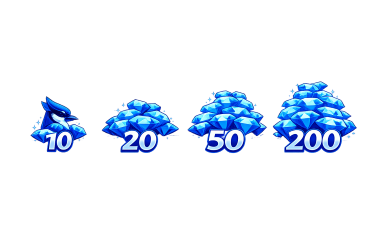
| 1 Week | 10 BJ | 7 days | Up to 12 |
| 2 Weeks | 20 BJ | 14 days | Up to 20 |
| 30 Days | 50 BJ | 30 days | Unlimited |
Keep your BleuJade balance topped up automatically.
Cancel anytime. Tap "Renew Now" when due.
Cancel anytime. Best value for active previews.
Each tester gets their own personal trial — starting from the day they sign up, not from when you activated the plan.
A tester who joins on day 5 of your 7-day plan still gets a full trial. You collect their email, they get to try your app. When the plan ends, access stops automatically.
Testers never pay anything. Only developers buy BleuJades.
Every preview link is a full Progressive Web App. Testers can add your app directly to their iOS or Android home screen — no App Store download required. It works offline after first load and feels native.
You don't need to build a native iOS or Android app to use BleuJade previews. Register any web app URL and activate a preview instantly — works with Expo, React, Flutter, or any framework.
Enter the URL of your web app in the dashboard. No package ID, no store credentials — just the URL.
Skip the native build pipeline entirely. Your app is registered instantly as a preview-only project.
Choose a 1-week, 2-week, or 30-day preview plan. Spend BleuJades to go live immediately.
Send the link to your testers. They sign up with their email, access the full app, and can install it to their home screen.
All tester emails are saved. Export them as a CSV anytime — your pre-launch list is ready when you ship.
No build time. No waiting. Your preview is live in under a minute.
Works with any web app — Expo Web, React, Vue, Flutter Web, Webflow, or Bubble.
Testers can install the preview to their iOS or Android home screen like a real app.
Email signup wall before access. You stay in control of who sees the app.
Download all tester emails as a CSV — your launch list, ready to go.
Upload your own logo to the preview shell. Looks polished right out of the box.
BleuJade also works as a standalone web app at bleujade.app. Register any app, manage your balance, buy packs, and activate plans — all without opening the 1twobuild mobile app.
Every tool you need for app store submission is built directly into the app — no third-party software, no manual resizing, no format hunting.
Upload one screenshot and get all required store sizes instantly. Works entirely on-device — nothing is uploaded to our servers.
Upload once and push directly to App Store Connect or Google Play Console. No manual uploading through a browser — it lands in your store listing automatically.
Google Play requires Android App Bundles (AAB), not APKs. Convert your APK to a signed AAB directly in the app with no external tooling needed.
Everything you need to know before you start building.
Buy BleuJadesYour BleuJades have been added to your account. Open the app to activate a preview plan.